
Directions Town
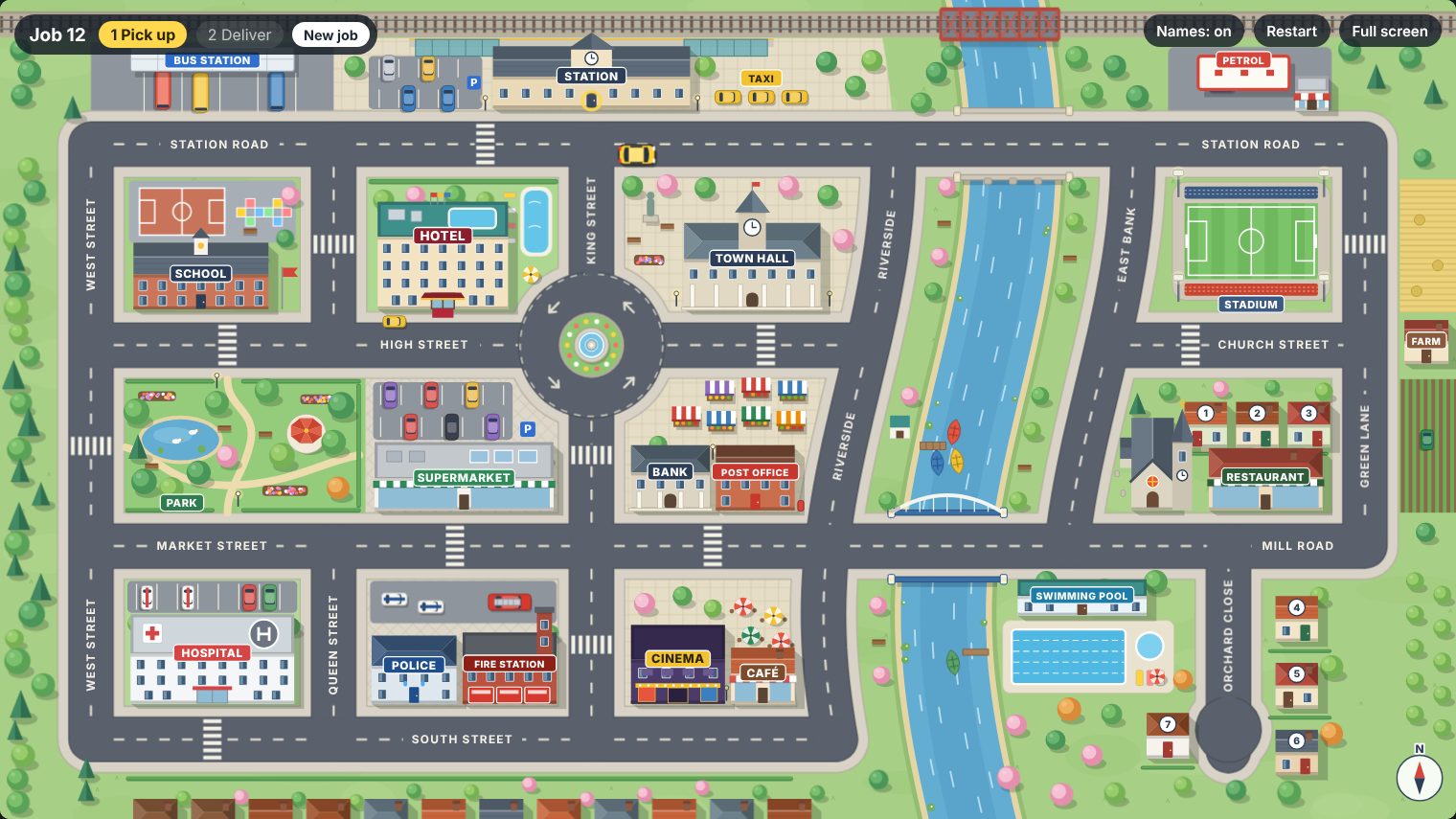
A game for practising giving and following directions. One student drives a car around the town. A partner has a secret job card, for example pick up a pizza from the restaurant and deliver it to house number 4, and has to get the driver there with directions alone: go straight on, take the second left, go over the bridge. The town has a roundabout, two bridges, a station, a park, shops and a dead end, so there is plenty to talk about. Show it on a smartboard or share your screen in an online lesson.
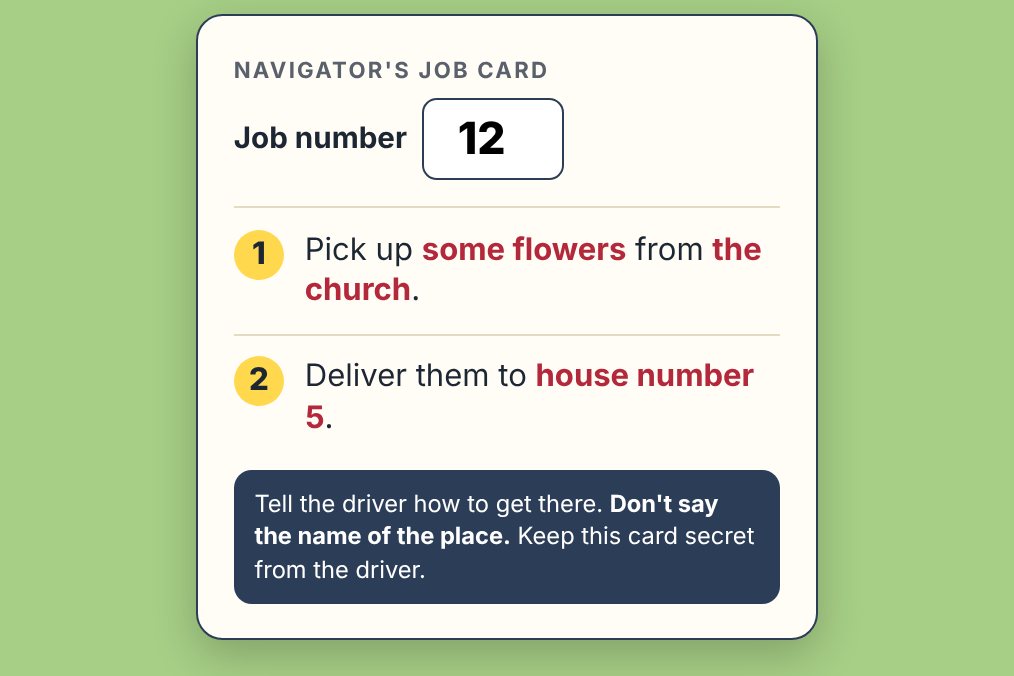
Open the town map Navigator's job card
How it works
- The driver opens the town map on the shared screen or the board. The map shows a job number in the top left corner.
- The navigator opens the job card on a phone, types the job number and keeps the card secret. It says where to pick something up and where to deliver it.
- The navigator gives directions. The rule: don't say the name of the place. The driver follows them and stops outside.
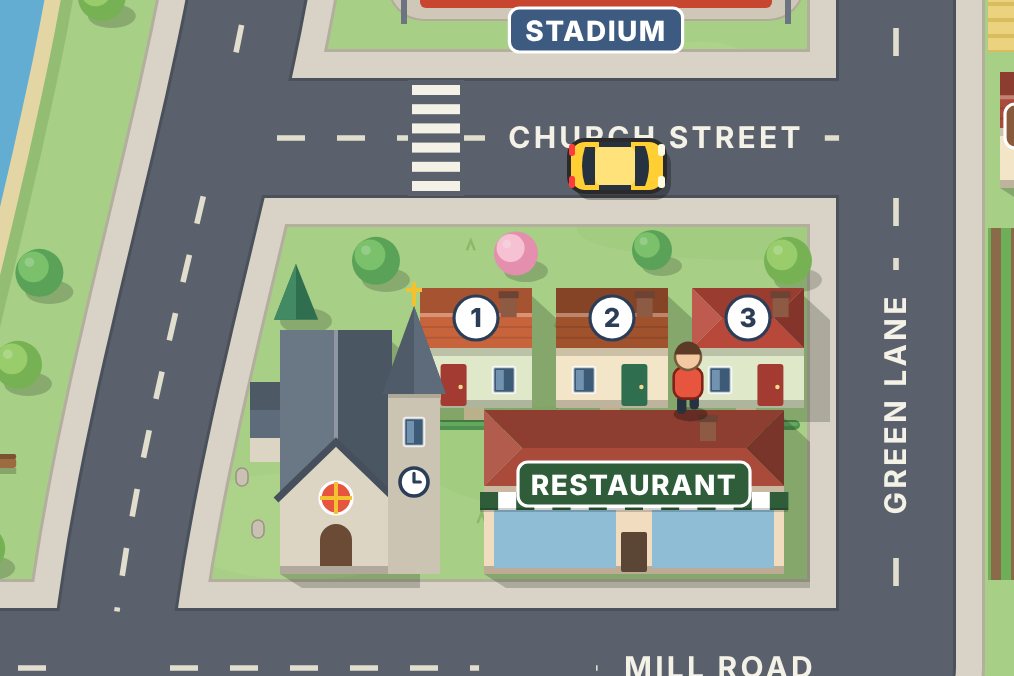
- The driver presses Space. A little person gets out of the car and goes in. The game says if it is the right place.
- After the pick-up, do the same for the delivery. At the end the game shows how many wrong stops there were. Press New job and swap roles.
Driving the car
- Up arrow: hold it to drive. The car follows the road and stays in its lane.
- Left and right arrows: switch on the indicator. The car turns at the next junction, just like "take the next left". Press the same arrow again to cancel.
- No indicator at a T-junction: the car stops and waits, so the driver has to ask "Which way?".
- The roundabout: the car goes round until you indicate, then leaves at the next exit.
- Down arrow: turn round. You will need it in the dead end.
- Space: get out. A yellow ring shows which door the driver will go to, so check it before you press.
On a touch screen or smartboard, use the arrow buttons in the corner of the map. Cars drive on the right. To drive on the left, as in the UK, add ?side=left to the address of the map.
Ideas for using it
- Pairs online. The driver shares their screen. The navigator opens the job card on a phone. Swap roles after every job.
- Whole class at the board. One student drives at the board. The rest of the class share one job card and take turns to give one instruction each.
- Teams. Each team does a job. Count the wrong stops, or time each job. The lowest score wins.
- Names off. Press Names to hide the signs and street names. Now the navigator has to describe what things look like: "the big building with the clock", "the red brick one next to the bank".
- Driver's commentary. The driver says what they are doing and what they can see: "I'm going past the hotel. I'm coming up to a roundabout." Good for the present continuous.
- Checking questions. The driver is not allowed to move until they have repeated or checked the instruction: "The second left, did you say?"
- No job, just a route. Without the card, students direct each other from one place to another: "How do I get from the station to the hospital?"
- Write it down. After a job, pairs write the route as a set of directions. Another pair follows them and guesses where they lead.
- Where am I? A student describes a route from the station without saying the last stop. The class follows on the map and says where they are.
Useful language
- Moving: Go straight on. · Go along this road. · Keep going. · Go past the bank. · Go over the bridge. · Go as far as the roundabout.
- Turning: Turn left. · Turn right at the end of the road. · Take the first left. · Take the second right. · Turn round.
- The roundabout: Go straight over the roundabout. · Take the first exit. · Take the third exit.
- Arriving: Stop here. · It's on your left. · It's on the corner. · It's next to the bank. · It's opposite the park. · It's at the end of the road.
- Repairing: Not that one, the next one. · You've gone too far. · Go back to the bridge. · Sorry, I meant right.
- Checking: Left here? · This one? · Did you say the second right? · Where am I now? · Can you see the hotel?
Tip: put a few of these on the board before you start, so every student has a way in.
Places on the map
Station, bus station, petrol station, school, hotel, town hall, park, supermarket, market, bank, post office, hospital, police station, fire station, cinema, café, stadium, church, restaurant, swimming pool, farm and seven numbered houses. Things can be picked up from any of them except the houses, which are delivery addresses only. There are 99 jobs.
Levels
Works from A2 upwards. At A2, keep the names on and allow short instructions. At B1 and above, hide the names, ban pointing and one-word answers, and ask for full sentences and checking questions.
Keyboard shortcuts
Arrow keys: drive · Space or Enter: get out · J: new job · N: names on / off · R: restart at the station · F: full screen